

Fluen translates captions into 50+ languages with full context, then re-flows them for the target language and gives you a professional editor to perfect every line.
Most translation tools work line by line, losing the thread of what's actually being said. Fluen translates by paragraph for context, then re-splits the result into captions sized correctly for the target language.
 OpenAI
 Anthropic
 DeepL
DeepL
Fluen translates with the best of the latest frontier AI models for each target language, so translations are accurate and read naturally. Add your custom glossary and brand names, technical terms, and people's names stay consistent across every target language.
Editing in Premiere Pro? The Fluen plugin translates your caption tracks into 50+ languages without leaving your timeline.
See the Premiere Pro pluginGerman compounds run long. Japanese breaks at character boundaries. Arabic and Hebrew read right to left. Fluen's segmentation engine respects each language's natural cadence so captions feel native, not translated.
Line breaks land at clause boundaries. Reading speed adapts to the script. Right-to-left languages render with the correct directionality in the editor and in your exports.
Pick every language you need at the start. Fluen transcribes once, translates in parallel, and delivers a polished track for each target language without making you queue jobs one by one.
Tracks live alongside the source in the same project, so you can review them together, send a single review link with every language attached, and export them in one go.
Need another language later? The + next to the language tabs adds one in a couple of clicks. And if you check the original captions before translating, Complete & Translate sends them to every language you picked as soon as you're done.
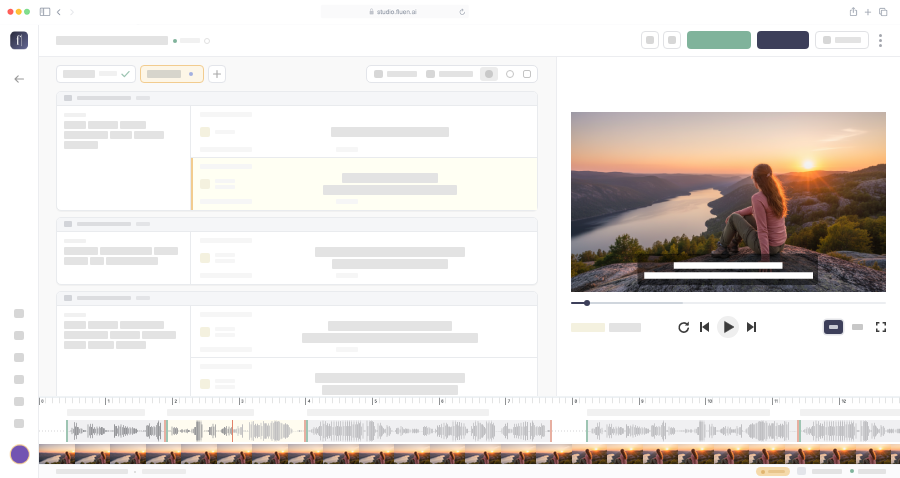
Adjust when each subtitle starts and ends to the millisecond, by typing the times or by dragging the subtitle's edges on the timeline. The audio wave shows where speech starts and stops, so every line appears right on cue.
The issues list takes you straight to subtitles that are too long or too fast to read (F8 steps through them). Add subtitle inserts one at the current point, and Find & Replace (Ctrl/Cmd+F) fixes a name everywhere at once.
See caption styling and positioningThe video preview sits next to the editor, captions overlaid live in your caption style as you scrub, word-by-word animation included. Style change, position tweak, text edit: it all shows up instantly the way it'll appear to viewers.
No second window, no separate player. The preview is the source of truth for how the captions will read on the final video.
A literal translation often runs longer than the original. German compounds, French articles, Spanish pluralizations: the same idea takes more characters in some languages than others. When that happens, the captions overrun the cue duration and viewers can't keep up.
Wordsmith runs automatically during translation. When a literal version would be too long to read in time or would break your line limits, it rephrases or condenses the line, keeping the meaning and the rhythm of the source video. No extra step on your end.
Two more places to go next, whether you need quality or scale.
Upload your first file free. No credit card, no commitment.