

Caption your sequence audio and translate your caption tracks into 50+ languages.
Subtitles so natural you barely need to edit, without leaving your timeline.
Free to install. Works with the Fluen account you already have.
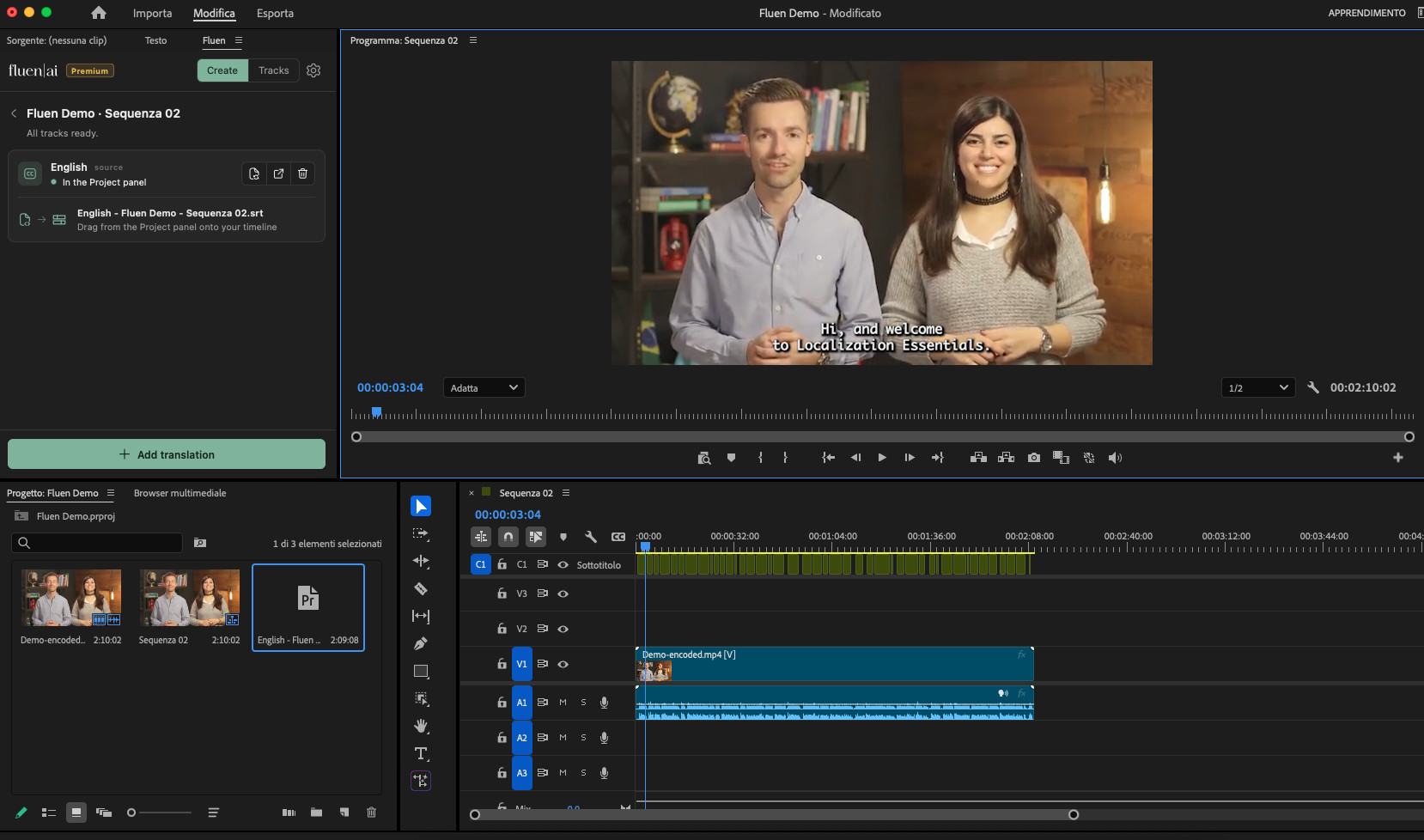
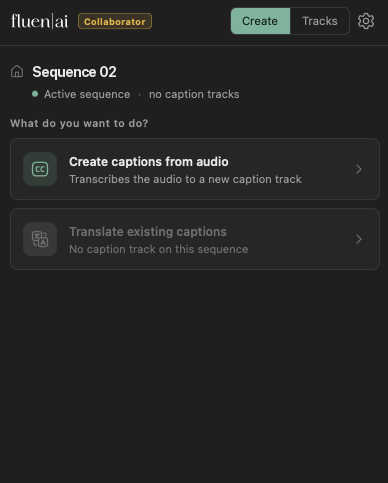
Create captions from scratch, or localize the ones you already perfected. Both with quality the built-in tools can't match.
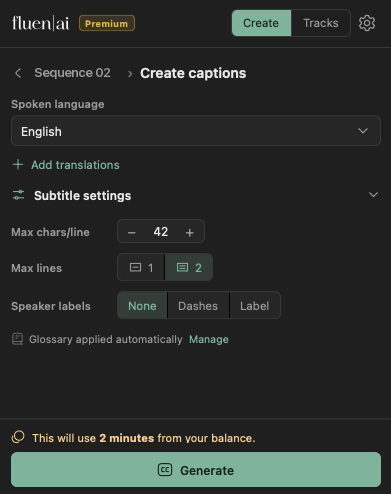
Turn your sequence dialog into clean captions that break at natural sentence boundaries, transcribed by the engine that benchmarks best for your language, such as ElevenLabs Scribe v2 or Speechmatics. Only the audio is uploaded, never your footage.
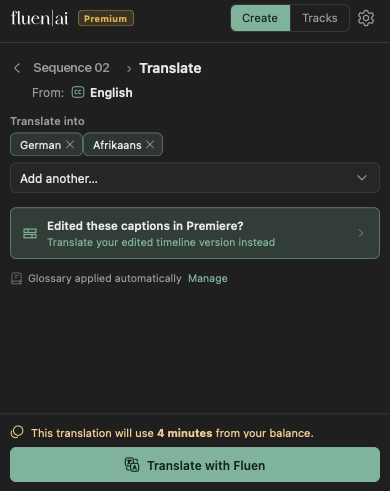
A real localization pass into 50+ languages with the strongest frontier AI models for each language, every cue re-segmented and re-timed. Works with any caption track: made with Fluen, with Premiere's own tool, or imported by hand.
Add Fluen from Adobe Exchange. It installs through the Creative Cloud app and stays up to date automatically.
In Premiere Pro, open the Fluen panel from the Window menu, click "Connect to Fluen", and sign in with your browser. No keys to copy, no setup files.
Choose the spoken language, the languages you want, and how the captions should look: line length, speaker markers, even your workspace glossary.
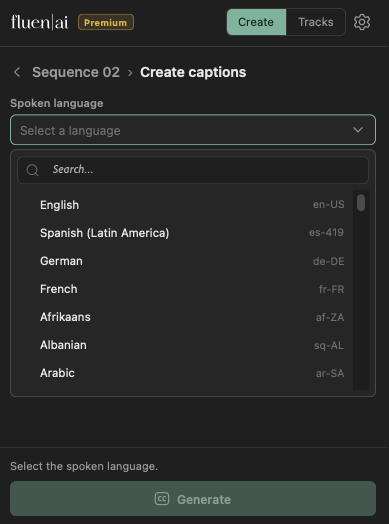
The job runs in Fluen's cloud, with progress right in the panel. Depending on the length of your media, it takes from 30 seconds to a few minutes.
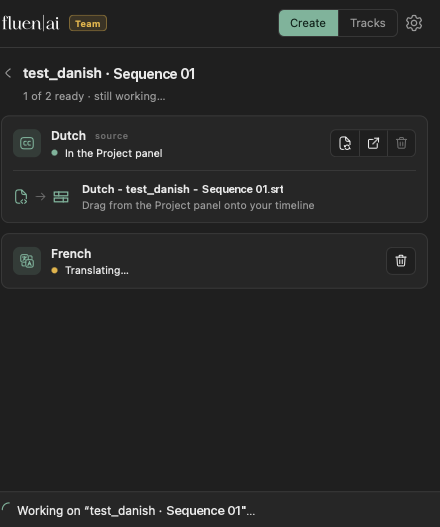
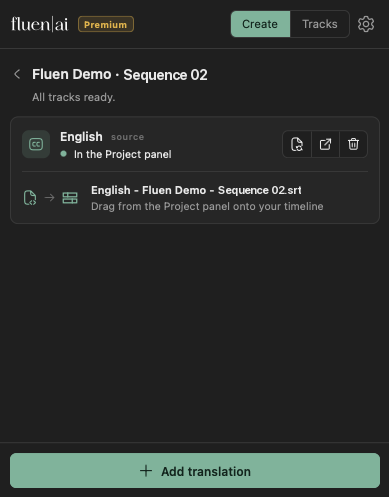
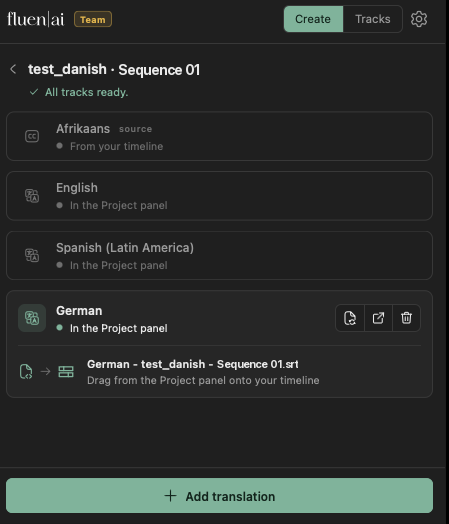
The finished subtitles import into your Project panel, color-labeled so they are easy to spot. Drag the file onto your sequence and Premiere creates the caption track.
More control than the built-in caption tools, in every language.
Choose characters per line and lines per caption, with sensible defaults for each language.
Translations are re-timed and tweaked automatically so every cue stays easy to read.
Captions break where the sentence does, not wherever a character limit lands.
Named labels, classic dash markers, or none. Rename speakers before you generate.
Names, brands, and technical terms carry into both transcription and translation.
Captions adapt automatically to your video's aspect ratio, from documentaries to Reels.
Refine every cue in the Fluen web editor, then re-sync the polished version into Premiere.
The plugin runs on your existing Fluen workspace, plan, and credits.
The practical details of how it fits into your edit.
The plugin is free on Adobe Exchange, and the free trial lets you test the full workflow on your own footage. On paid plans it uses your plan's credits, the same ones you use on the web.
See PricingYes, the plugin is free to install from Adobe Exchange, and the free trial lets you try the full workflow on your own footage. On paid plans it uses your plan's credits: there is nothing separate to buy. See pricing →
Premiere Pro 25.6 and newer, on macOS and Windows. Fluen is built on Adobe's newest plugin platform, so it installs and updates through the Creative Cloud app.
No. For captioning, the plugin exports only the audio of your sequence as a small compressed file and uploads that. For translation, only the caption text is sent. Your video never leaves your machine.
Premiere's translator swaps words inside your existing cues. Fluen re-segments and re-times each target language, applies your glossary and line rules, and keeps every cue at a comfortable reading speed, so the result reads like subtitles made for that language, not a word-for-word copy.
Yes. The plugin translates any caption track on your sequence: captions you generated with Fluen, captions from Premiere's own speech-to-text, or subtitles you imported or wrote by hand. Just pick the option to translate from your timeline captions.
Yes, twice over. The imported captions are regular Premiere captions you can style and tweak on the timeline. You can also open the same project in the Fluen web editor, polish it there, and re-sync the polished version back into Premiere.
Fluen supports 50+ languages for both transcription and translation. See the full list →
Almost. Premiere doesn't allow plugins to create caption tracks directly, so the finished file lands in your Project panel and one drag onto the sequence creates the caption track. The panel walks you through it.
From the panel itself (open Settings, then Disconnect), or from the Premiere Pro section in My Account on the web, where you can see and manage every connected machine.
Free to install. Your first captions are minutes away.
Or try Fluen on the webAdobe and Adobe Premiere are either registered trademarks or trademarks of Adobe in the United States and/or other countries.