

Export an MP4 with captions rendered straight into the picture. Vertical, square, widescreen, ultra-wide. Whatever your source is, Fluen burns it cleanly.
Choose 4K, 1080p, or 720p, or pick Original Resolution to match your source file exactly. Useful when you want the export to drop into an existing edit timeline, or to replace a master without changing dimensions.
The render pipeline normalizes the source first, so unusual frame rates, long files, and uncommon codecs all come out clean.
Step-by-step: export video with burned-in subtitlesCaption sizing adapts to the video's shape automatically. A vertical Reel export and a widescreen film master each get visually balanced subtitles, not the same one-size default.
Vertical formats can lock captions inside the social-media safe area, the part of the frame that doesn't get covered by player UI on YouTube Shorts, Instagram Reels, or LinkedIn. One toggle, every cue stays in the safe zone for the whole track.
A curated set of typefaces appropriate for any kind of video, grouped by language and script in the editor's font picker. You'll find faces that fit narration, broadcast, social cuts, and documentary work.
For translated tracks, Fluen automatically picks a face that supports the target language's script if your default font doesn't. No fallback boxes, no missing glyphs.
Pick a backing plate that suits your footage: solid for guaranteed contrast over busy shots, semi-transparent for a softer look, or off when the outline alone is enough.
Tune the opacity with a slider until the plate sits the way you want over your video. Live preview shows the final look before you commit to a render, so you never burn an export only to discover the captions disappear into a bright sky or a complex background.
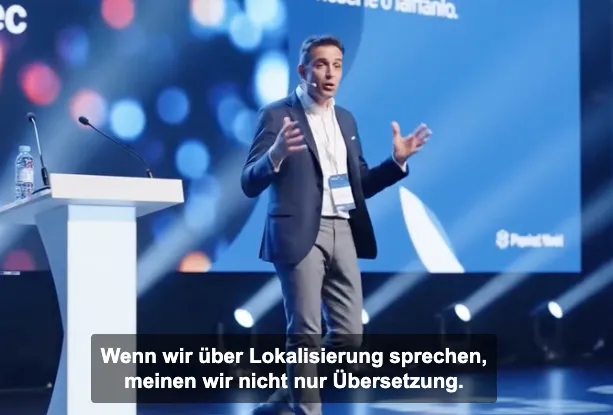
Hebrew, Arabic, and other right-to-left scripts render with correct directionality. Mixed-language cues (a name in Latin script inside an Arabic line, for instance) lay out the way they're supposed to.
Your translation tracks export looking like a native version, not a fallback.
Three places to go next once the look is dialed in.
Drag, snap, resize, and align captions directly on the video preview. Live styling, per-cue positioning, and safe-zone overlays for vertical video.
Change how captions are split and timed without re-uploading. Same words, new rhythm, no extra cost.
Nine subtitle formats, shared workspaces, custom glossary, layout reprocessing, and a REST API.
Upload your first file free. No credit card, no commitment.