Human Translator
- Cost
- $$$ per minute, per language
- Turnaround
- 2–5 business days
- Formatting
- Manual timing
- Multi-language
- Per-language cost multiplier
- Editing
- Email back-and-forth
- Subtitle Specs
- Follows client brief
- Quality
- Excellent (varies)


Upload a video and translate its subtitles into 50+ languages.
Line breaks, timing and natural phrasing carry over, so they read like they were written in that language.
No credit card required
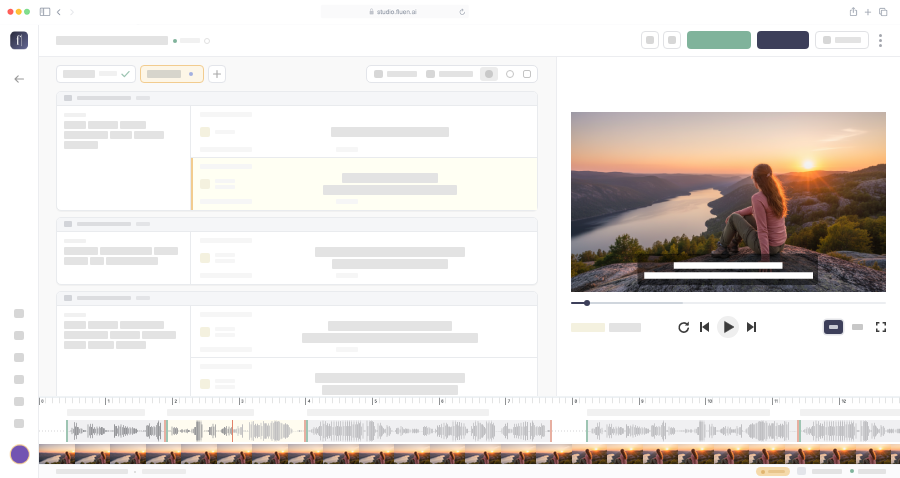








Compare a generic machine translation with a Fluen translation, subtitle by subtitle.
With Fluen as your subtitle translator, a 60-minute video goes into 5 languages in minutes, at a fraction of what a human translator would charge. Longer videos work too: lectures, webinars, full-length interviews.
See pricingFluen doesn't stop at accurate translation. Keep your terminology consistent, let AI smooth out awkward phrasing automatically, and export captions styled and burned into your video in up to 4K.
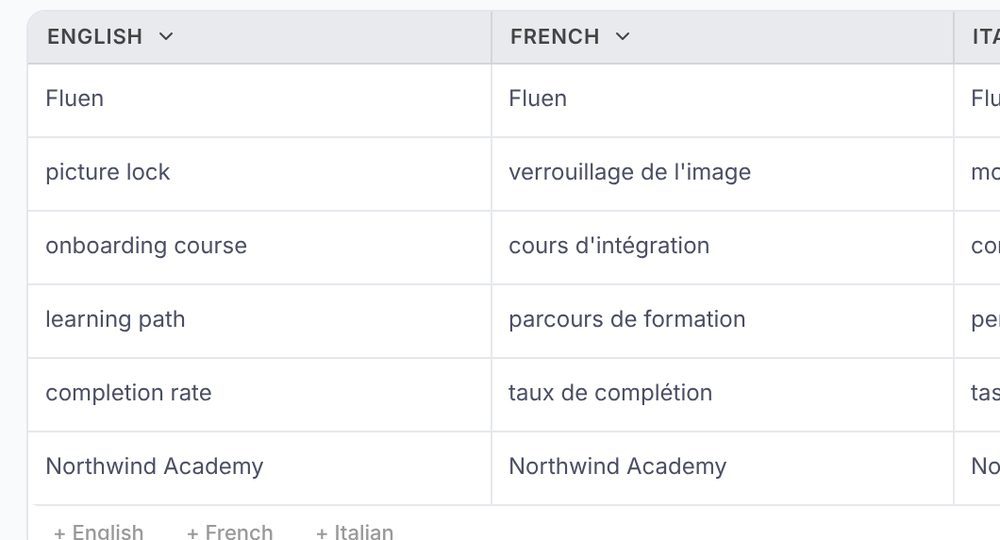
Lock in how product names, brand terms, and technical vocabulary get translated, so they stay consistent across every language and every video.
Learn moreWhen a direct translation would run too long or read awkwardly, Fluen automatically rephrases it into natural, concise wording that still fits the timing and line length.
Learn more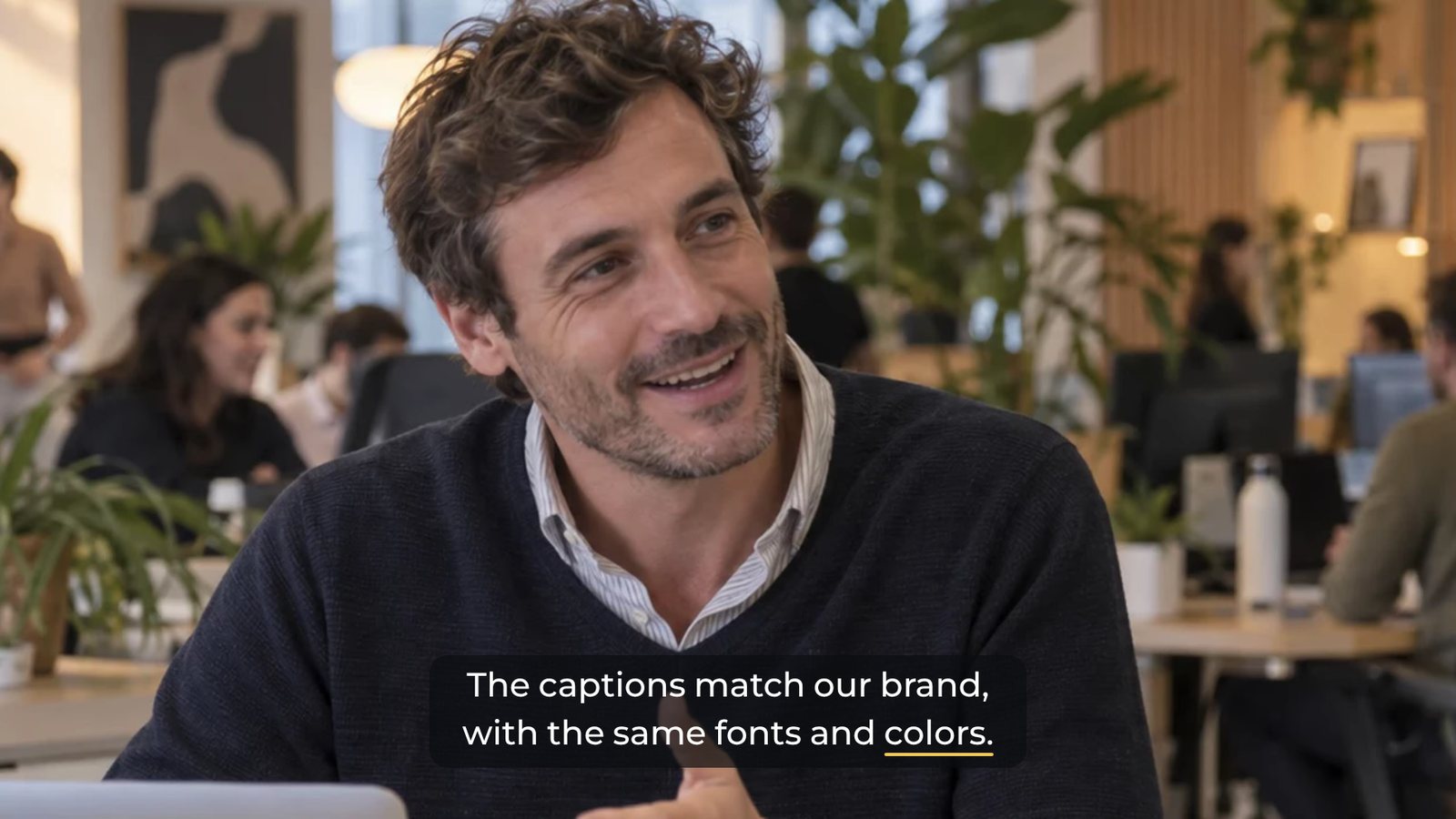
Pick from 30+ caption styles, including dynamic word-by-word captions. Translations follow the original's style until you give them their own, and you can export them burned into your video in up to 4K, or as subtitle files in any major format.
Learn moreTraditional workflows route uncommon language pairs through a pivot language like English: Norwegian to English, then English to Portuguese, losing nuance at each step. Fluen translates directly between any pair. No intermediary, no compounding errors, no meaning lost in transit.





It takes three steps:
Fluen uses models from OpenAI, Anthropic, Google and DeepL, chosen according to the target language, and then does a lot of its own post-processing, correcting and automatically rephrasing lines so subtitles read naturally while keeping the original meaning. Translations are context-aware, meaning the AI considers full paragraphs of source captions, not one subtitle at a time, to produce natural phrasing. Our auto-segmentation then re-formats the translated text to respect professional subtitle specs (max characters per line, max lines per subtitle) for optimal readability on screen. Most users find the output needs little to no editing for standard content.
You can upload video files (MP4, MOV, MKV, AVI, and more) or import them from Google Drive or Dropbox, and Fluen generates captions automatically. On paid plans you can also import your own SRT files during the caption review step. For export, Fluen supports 7 subtitle formats (SRT, WebVTT, TTML, SBV, ITT, STL, and SSA), burned-in MP4 up to 4K with your caption style, and TXT, Word, or PDF transcripts.
Yes. Pick as many target languages as you need when you upload, then click "Complete & Translate" once you've reviewed the captions. All translations are processed simultaneously, so translating into 10 languages takes roughly the same time as translating into one. You can add more languages later at any time with "Add Language".
No. Unlike traditional translation workflows that route uncommon pairs through a pivot language (e.g. Norwegian → English → Portuguese), Fluen translates directly between any supported language pair. This avoids the cumulative loss of nuance that comes with multi-step translation chains, preserving the original meaning more faithfully. This is especially relevant for LSPs and localization teams working across many language combinations.
Fluen includes a Glossary feature that lets you define how specific terms should be translated (or left untranslated). This is especially useful for industry jargon, brand names, and technical vocabulary. The AI respects your glossary entries across all target languages.
Yes. Fluen works with any aspect ratio, including vertical 9:16 videos from TikTok, Instagram Reels, and YouTube Shorts. Captioning, translation, and burned-in export all work the same way regardless of orientation.
Yes. The free plan lets you caption and translate 3 files (up to 90 minutes each, into up to 3 languages per file) and review the results in the editor, no credit card required. Free translations show the first 15 minutes. Downloading subtitles, exporting video and importing your own SRT files require a paid plan. See pricing →
Absolutely. Every plan includes comments, and share links can be set to "Can view" or "Can comment". With a Team plan, you can invite collaborators to shared workspaces, where they can upload files, review translations, make edits, and export. You can also send each language for review: reviewers get a private link, no account needed, where they comment, suggest wording, and approve each language.
Upload your first file free. No credit card, no commitment, no waiting.
Or compare plans