

Let's be honest: we don't want you to go. But there are perfectly good reasons to pause, like a project wrapping up and not needing subtitles again until this time next year. This guide makes sure the cancellation goes through completely and correctly, so there are no surprises on either side.
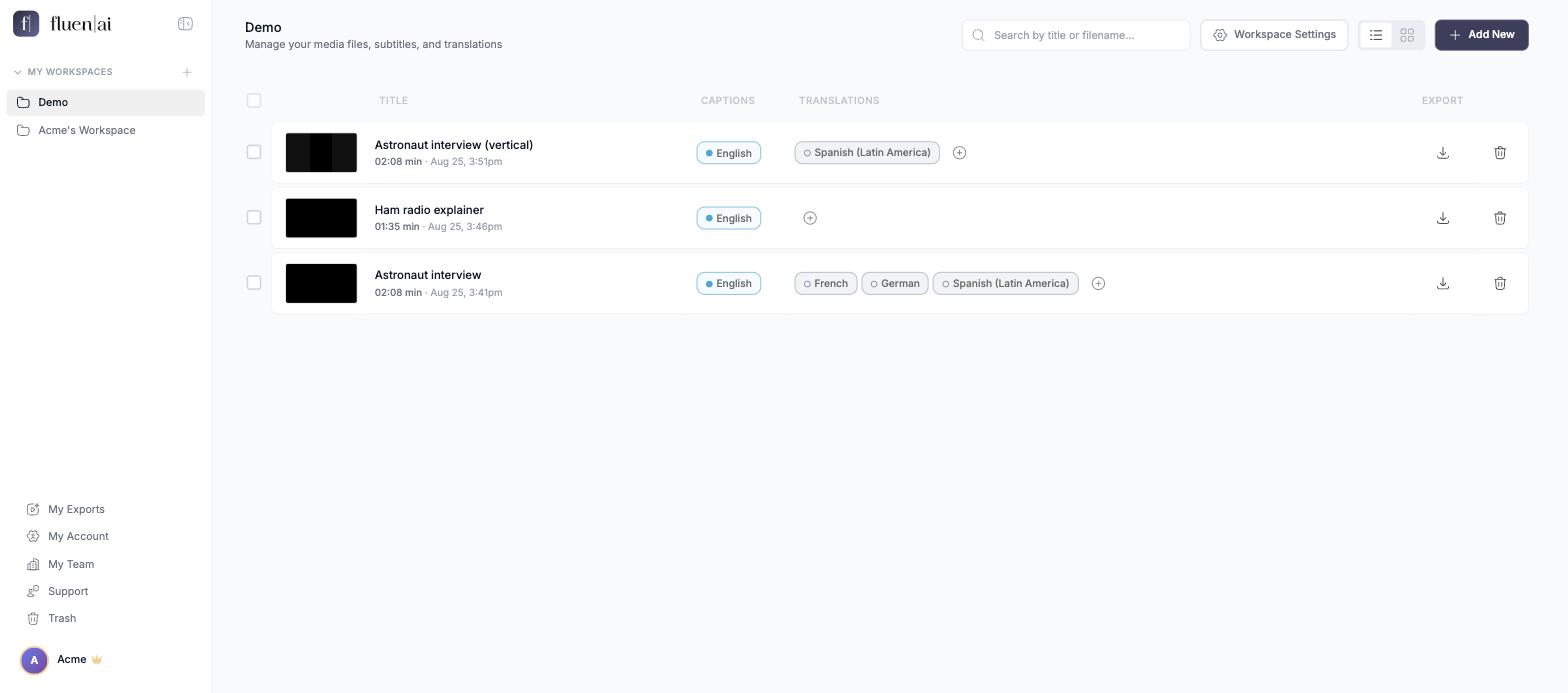
Open My Account
From the page that lists your videos, look at the bottom left of the screen. Just above your account name you will find My Account. Click it. (Clicking your account name opens a small menu with the same My Account entry.)
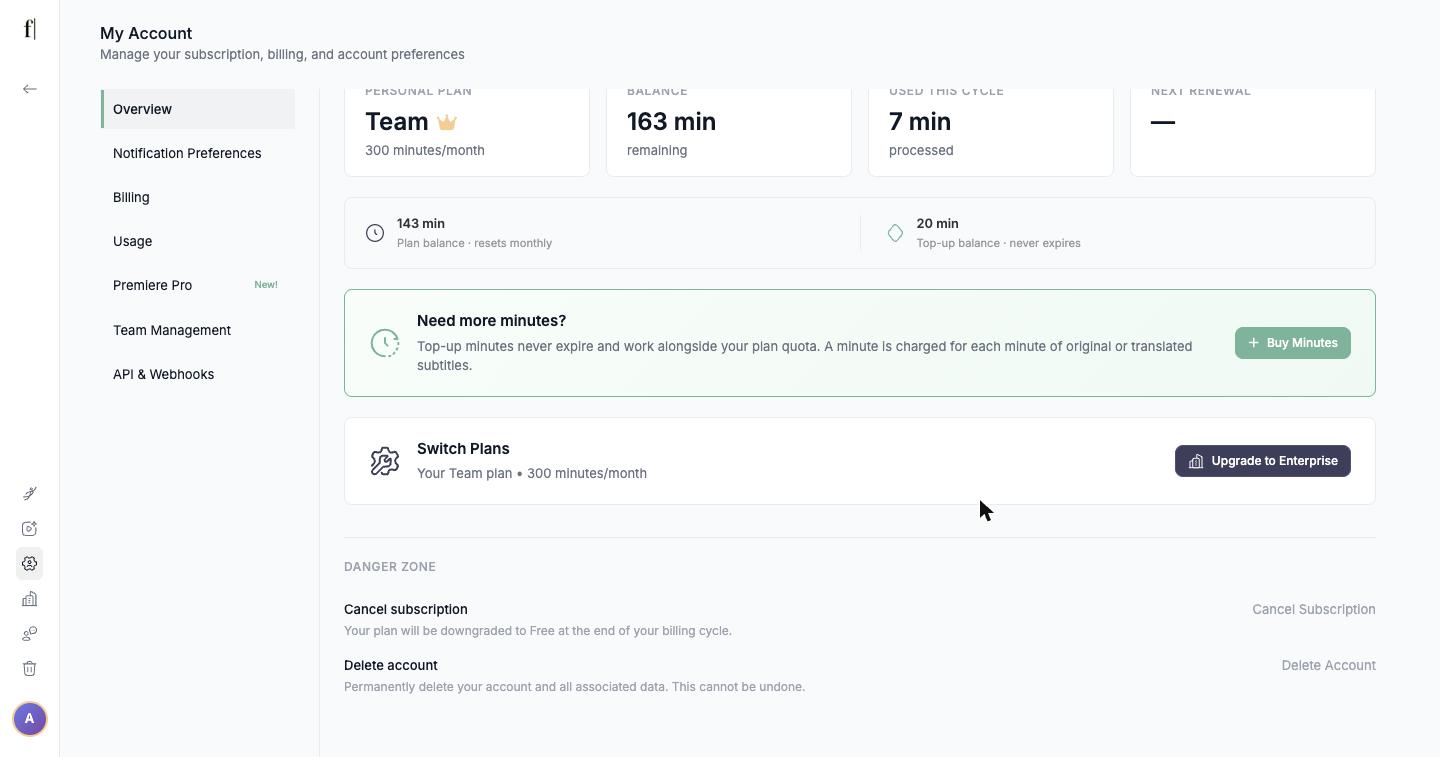
Scroll to the bottom and click Cancel Subscription
The Overview page opens. Scroll all the way down to the section called Danger Zone. The first item reads "Cancel subscription: your plan will be downgraded to Free at the end of your billing cycle". Click Cancel Subscription on the right.
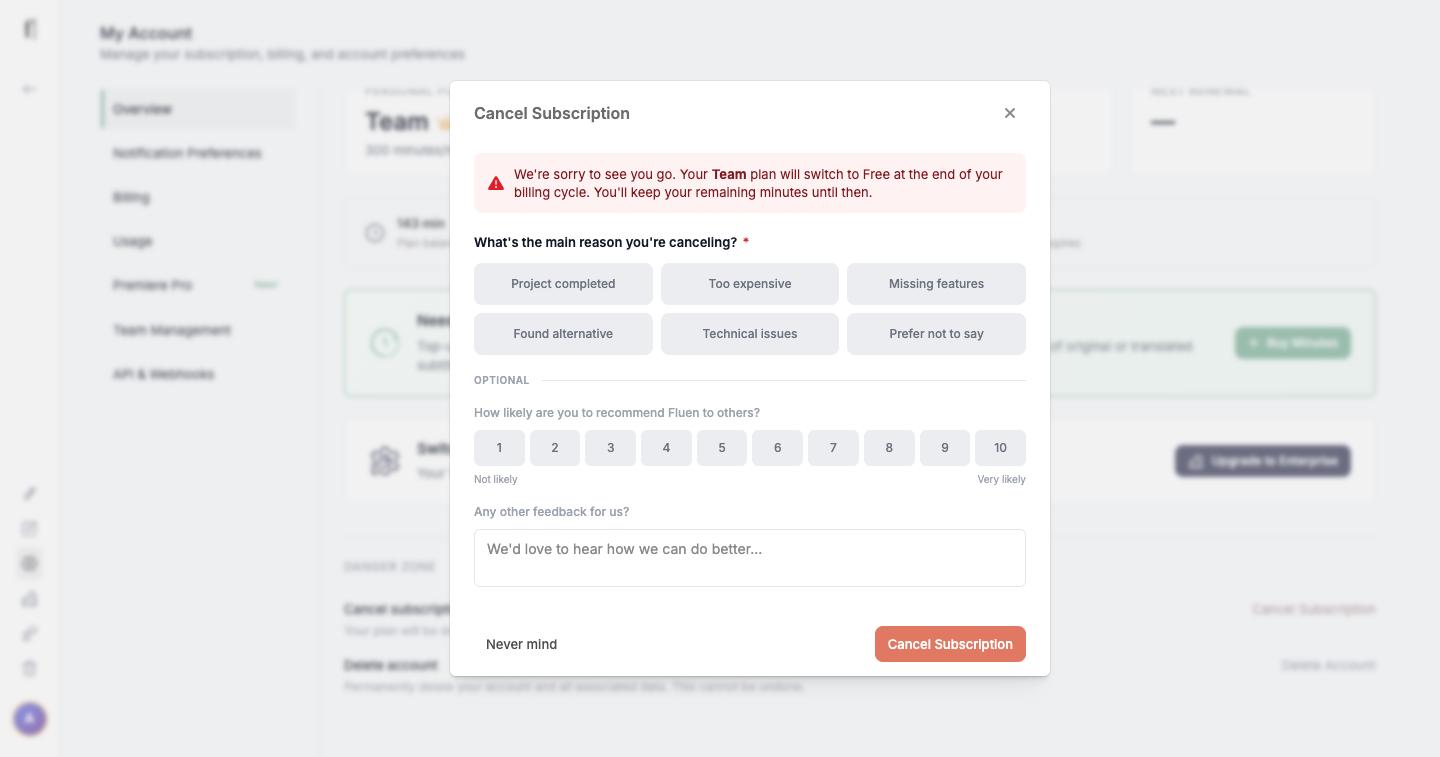
Answer a couple of questions and confirm
A dialog opens. At the top it tells you the exact date and time your current billing period ends, for example "Cancel before Jul 19, 2026, 6:07 PM to avoid your next charge". That is when your plan switches to Free; until then you keep your remaining minutes and full access.
You will be asked the main reason you are leaving (pick one: Project completed, Too expensive, Missing features, Found alternative, Technical issues, or Prefer not to say). Two optional questions follow: how likely you are to recommend Fluen, and anything else you want to tell us. Then click Cancel Subscription at the bottom of the dialog. If you change your mind, Never mind closes it without doing anything.
Check your inbox
Once you confirm, Fluen Studio shows a "Subscription Cancelled" message and we send you an email confirming the cancellation and the date your plan ends. If it has not arrived within an hour, tell us right away at [email protected], so that (a) we know you have cancelled and (b) we can find out why the email wasn't sent.
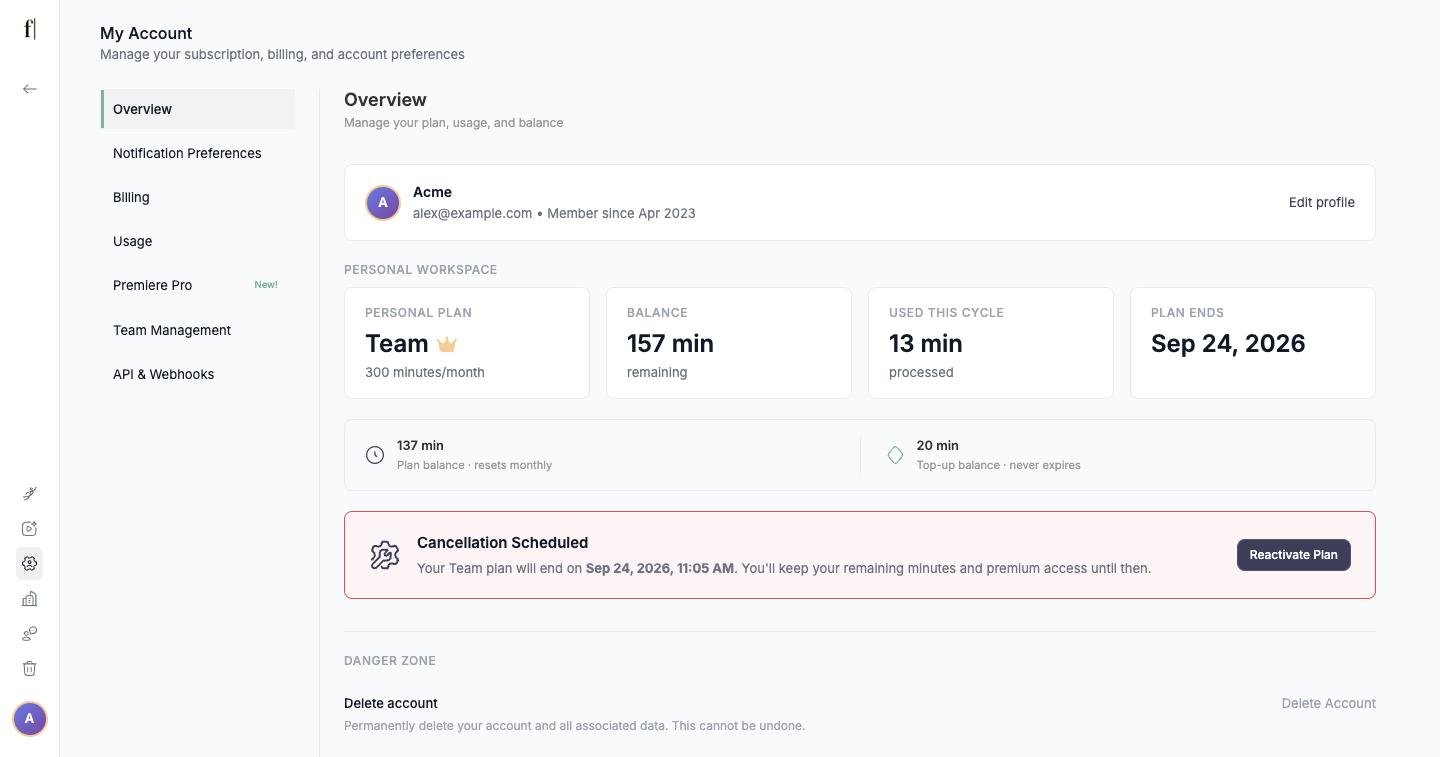
What happens next
- Your plan stays active until the end date shown in the dialog. Exports, editing and everything else keep working until then, and the Overview page shows the date under Plan Ends.
- Your remaining minutes stay available until that date. They do not carry over to the Free plan.
- When the period ends, the account switches to Free. Your files and subtitles remain, but exporting requires a paid plan again.
- Changed your mind? As long as the end date has not passed, open My Account and click Reactivate Plan in the "Cancellation Scheduled" card. Your plan continues as if nothing happened.
Good to know
- Deleting your account is a separate step, also in the Danger Zone. It is only available once the subscription has been cancelled.
- To change your card or download invoices, use Billing in My Account and open the Customer Portal. Cancelling does not require it.
- Switching between monthly and yearly is not a cancellation: use Switch Plan on the Overview page instead.
That's all there is to it.
The Fluen support team