

Fluen charges by the minute of subtitles it produces, not by the number of videos or the size of your files. This guide explains the plans, what a credit minute is, how monthly and yearly billing differ, and what to do when you run low.
The plans at a glance
| Plan | Price | Minutes | Seats | Media kept for |
|---|---|---|---|---|
| Free | $0, no card | Try up to 3 files | 1 | 30 days |
| Premium | $29/month or $259/year | 150 per month (1,800 per year, available at once) | 1 | 90 days |
| Team | $59/month or $499/year | 300 per month (3,600 per year, available at once) | 2 included, extra seats $10/month or $50/year each | See your plan page |
| Enterprise | Custom | Volume-based | Custom | 1 year |
Subtitle tracks never expire, whatever the plan: once the video or audio file itself is removed after the retention period, you can still open the media and export its subtitles. Current prices and the full feature comparison are on the pricing page.
What a credit minute is
A credit minute is the unit everything is measured in. The rule is short: one minute of subtitles costs one credit minute, whether those subtitles are captions in the original language or a translation.
- Each file is rounded to the nearest whole minute, with a minimum of one. A 20-second clip costs 1 minute; a 90-second clip costs 2.
- Captions are charged once per file, when the caption track finishes processing.
- Each translation language is charged separately, when that translation finishes.
A 10-minute video, captioned in English and translated into three languages:
- English captions10 min
- Spanish translation10 min
- French translation10 min
- German translation10 min
Monthly vs yearly
- Monthly plans give you the full quota at the start of each billing cycle. Unused plan minutes do not roll over; the balance resets to the plan quota on the renewal date.
- Yearly plans grant the whole year up front: 1,800 minutes for Premium, 3,600 for Team. Use them whenever you like during the subscription year, even all in the first month.
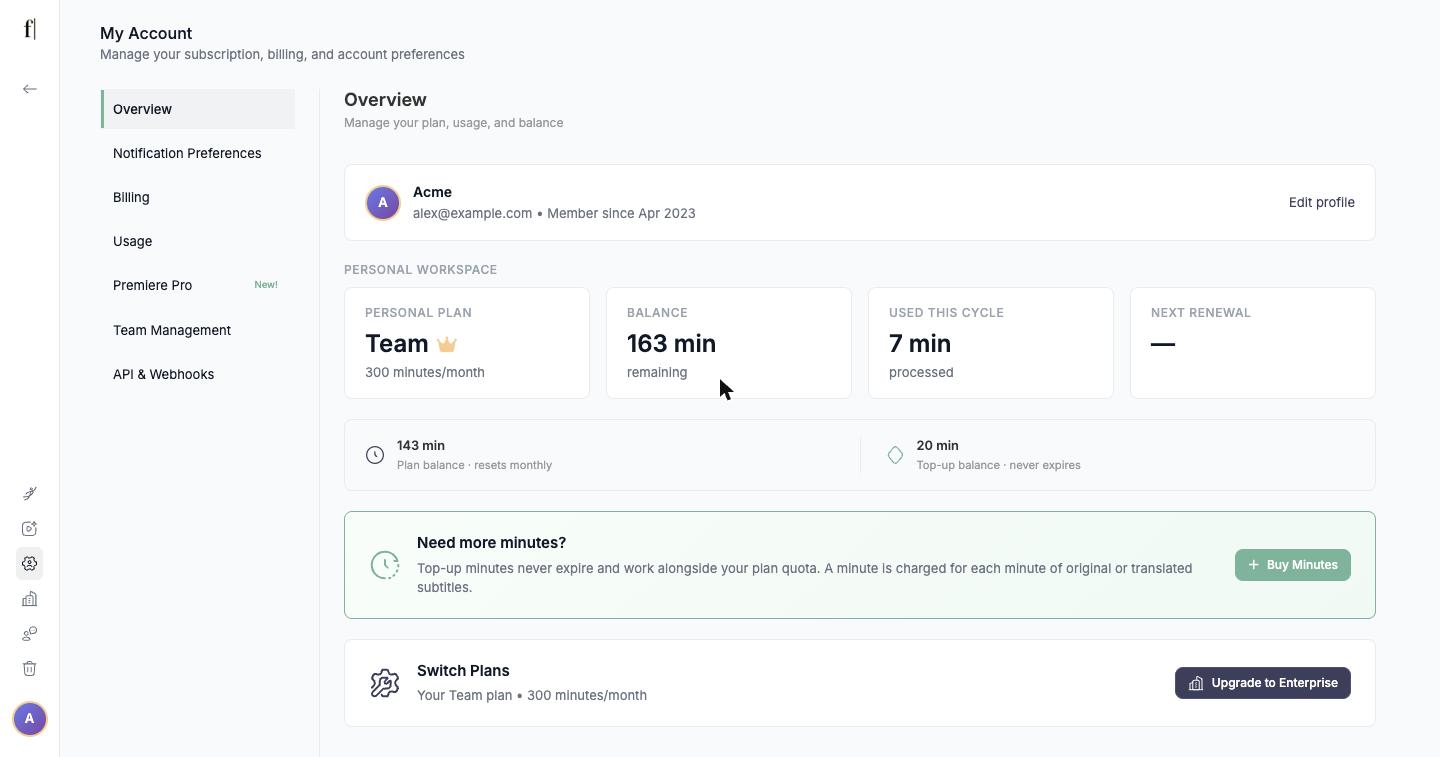
Your balance, the minutes used this cycle and the next renewal date are on the Overview page of My Account. If you have both plan minutes and top-up minutes, the page shows them separately: "Plan balance, resets monthly" and "Top-up balance, never expires".
Running out of minutes
There is no overage billing and nothing is charged automatically. When a file needs more minutes than you have, its track pauses with an "Insufficient Balance" message and waits. You then have two options:
- Wait for the reset. On a monthly plan the balance is topped back up on the renewal date shown under Next Renewal.
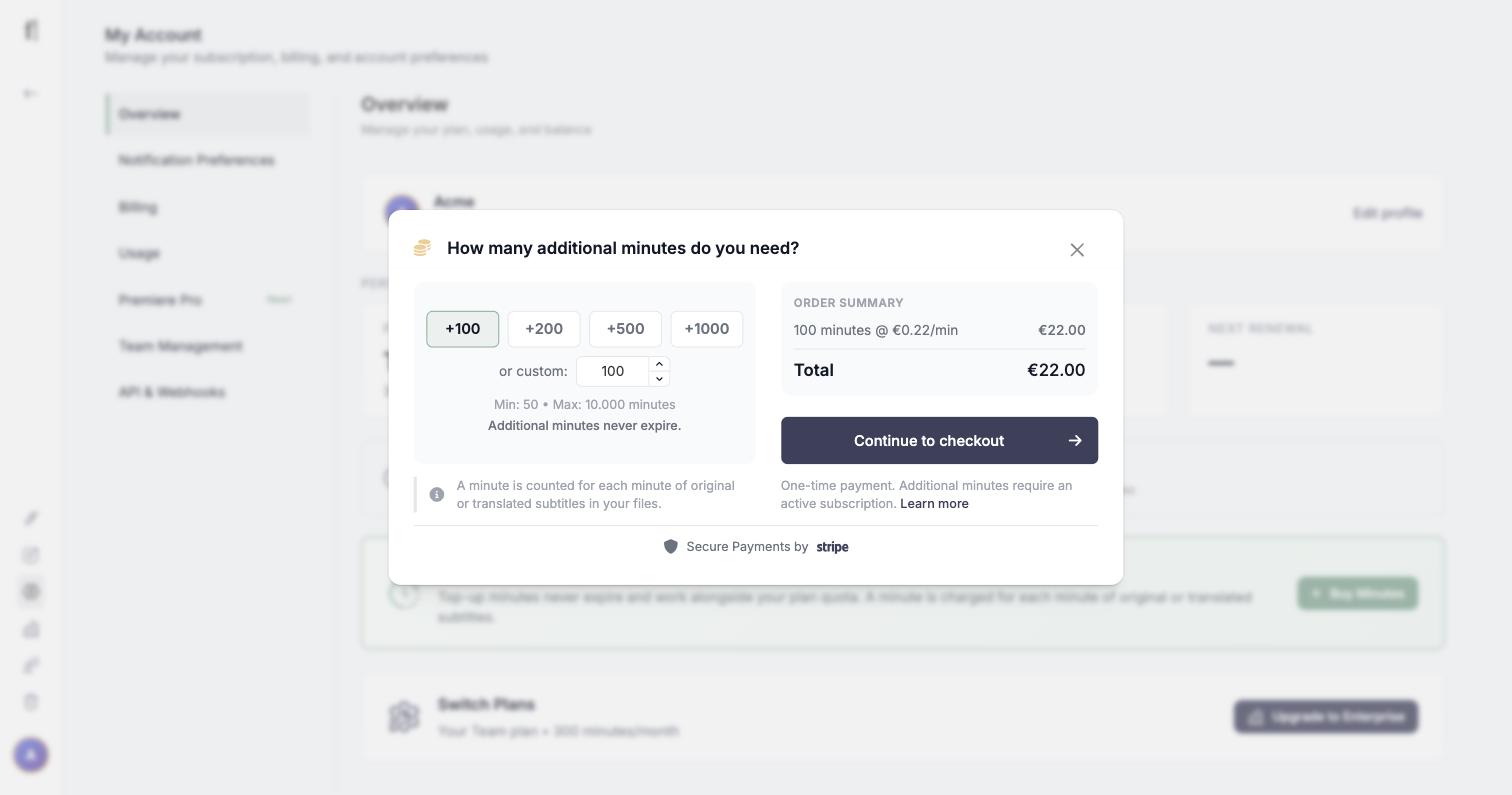
- Buy additional minutes. On the Overview page, the "Need more minutes?" card has a Buy Minutes button. Top-ups are a one-time payment (from 50 up to 10,000 minutes) and never expire. They sit alongside your plan quota and are used when the plan balance is empty. Buying minutes requires an active subscription.
Watching your usage
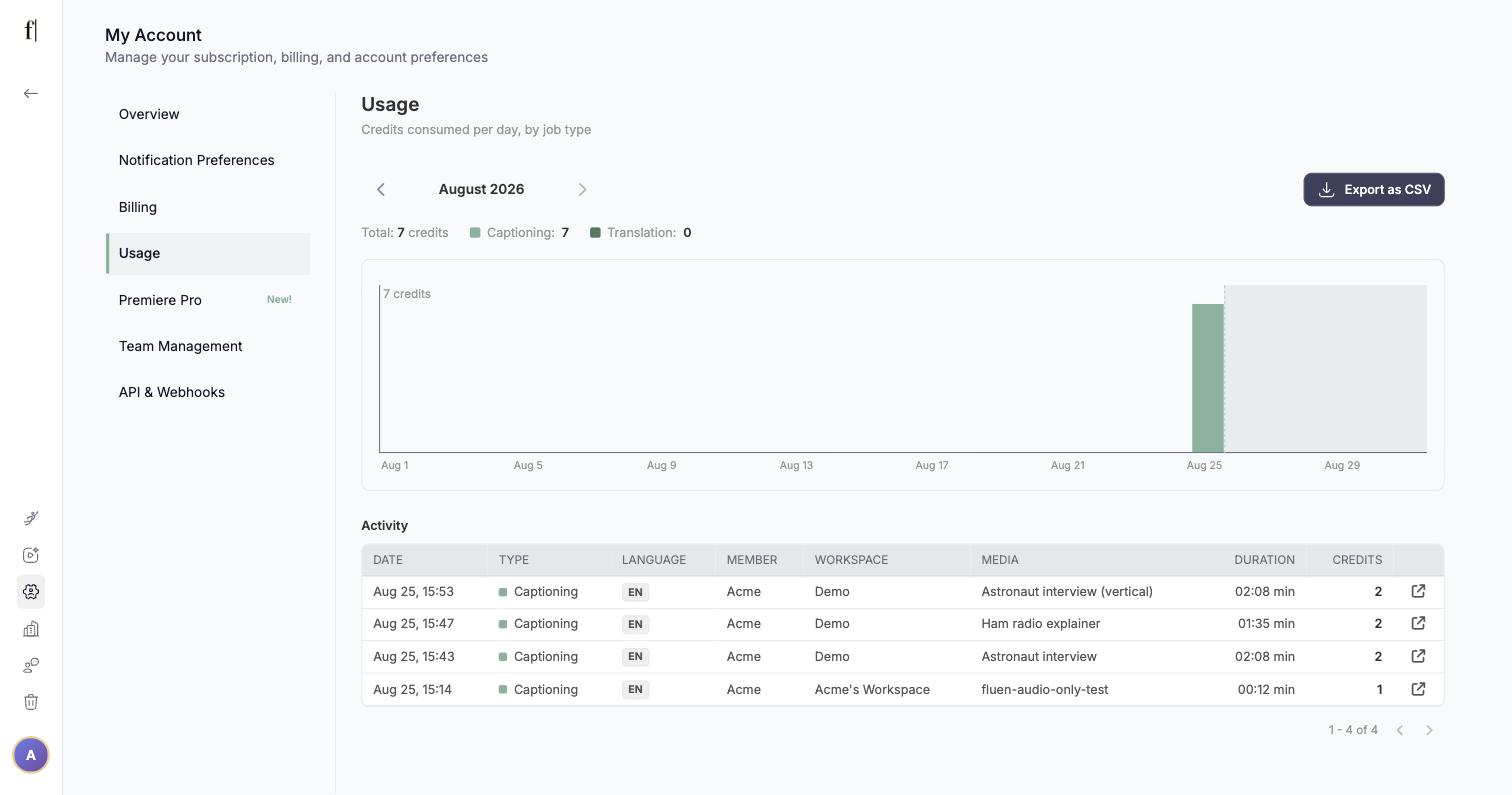
Usage, in the My Account menu, shows exactly where your credits go. Pick any month and you get the total split between captioning and translation, a day-by-day chart, and an activity log with every file processed: date, type, language, media, duration and credits. The log can be exported as a CSV.
What the Free plan includes
The Free plan is a trial: it exists so you can judge the quality on your own material before paying. It lets you process up to 3 files, translate each into up to 3 languages, and shows the first 15 minutes of each translation. Exporting subtitle files or video needs a paid plan, and media is kept for 30 days. Everything else, including the editor, speaker labels and styling, works the same as on paid plans.
Team plans and seats
- Minutes used by collaborators come out of the owner's balance. Adding seats does not add minutes.
- Extra seats cost $10 per month or $50 per year each. A seat added mid-cycle is charged pro rata for the time left in the cycle.
Renewals and cancelling
Subscriptions renew automatically at the end of each cycle, monthly or yearly. You can cancel at any time; the plan then runs to the end of the period you have paid for and switches to Free. The steps are in How to cancel your subscription. Switching between monthly and yearly, or between Premium and Team, is done with Switch Plan on the Overview page.