

On the Premium and Team plans you can move up to a bigger plan, or from monthly to annual billing, on your own, in a few clicks. This guide shows which switches you can make yourself, what you pay on the day, and what happens to your minutes and your renewal date.
Which switches you can make yourself
| Your plan now | You can switch to |
|---|---|
| Premium monthly | Premium annual, Team monthly or Team annual |
| Premium annual | Team annual |
| Team monthly | Team annual |
| Team annual | This is the largest self-serve plan. For more minutes, top up, or ask us about Enterprise. |
Moving to a smaller plan (Team to Premium) or from annual to monthly billing isn't available in the app. Write to us and we will take care of it for you.
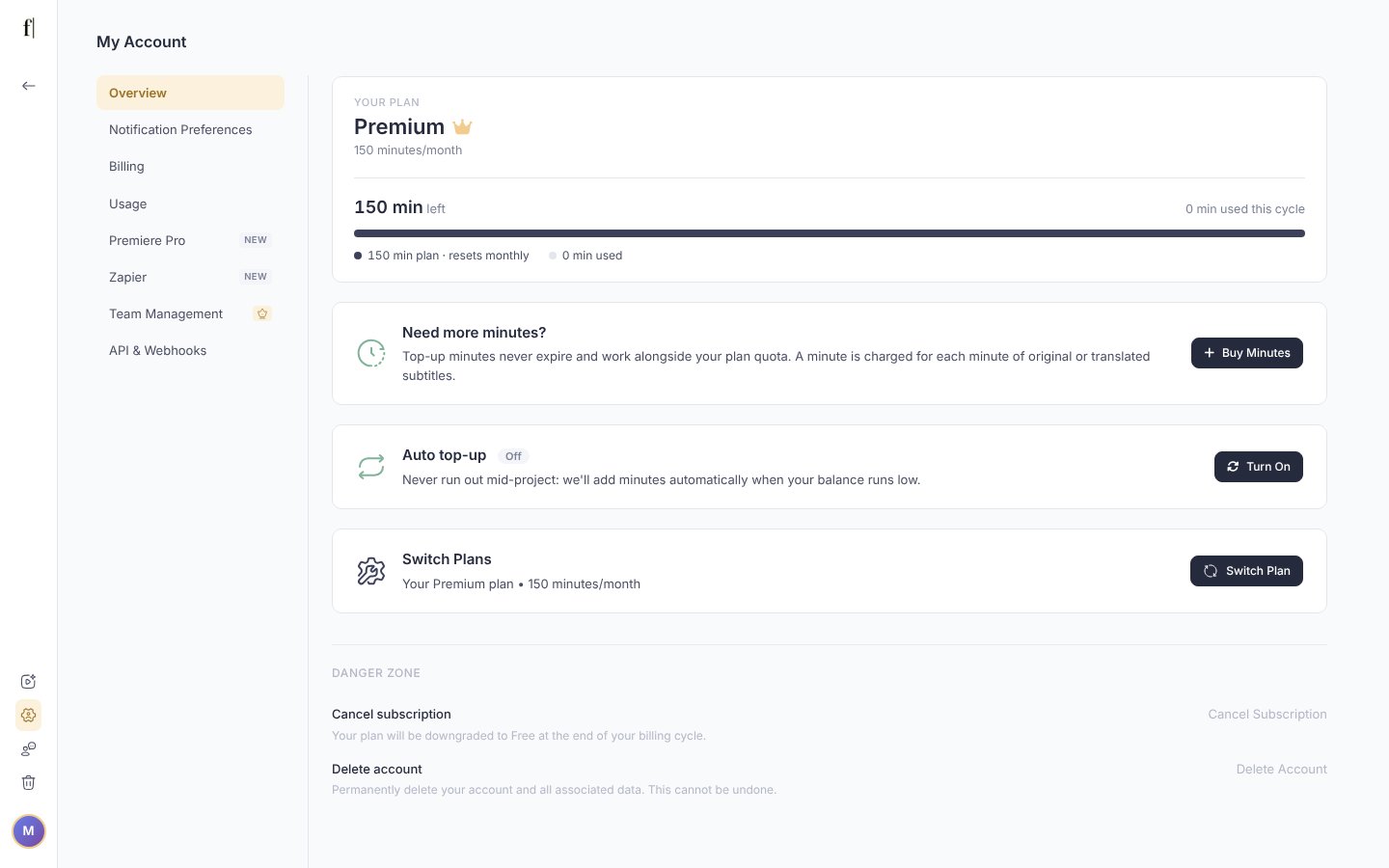
Open Switch Plans on the Overview page
Open My Account. On the Overview page, the Switch Plans card shows your current plan. Click Switch Plan. On Team monthly, the button is Switch to Annual.
Pick the new plan
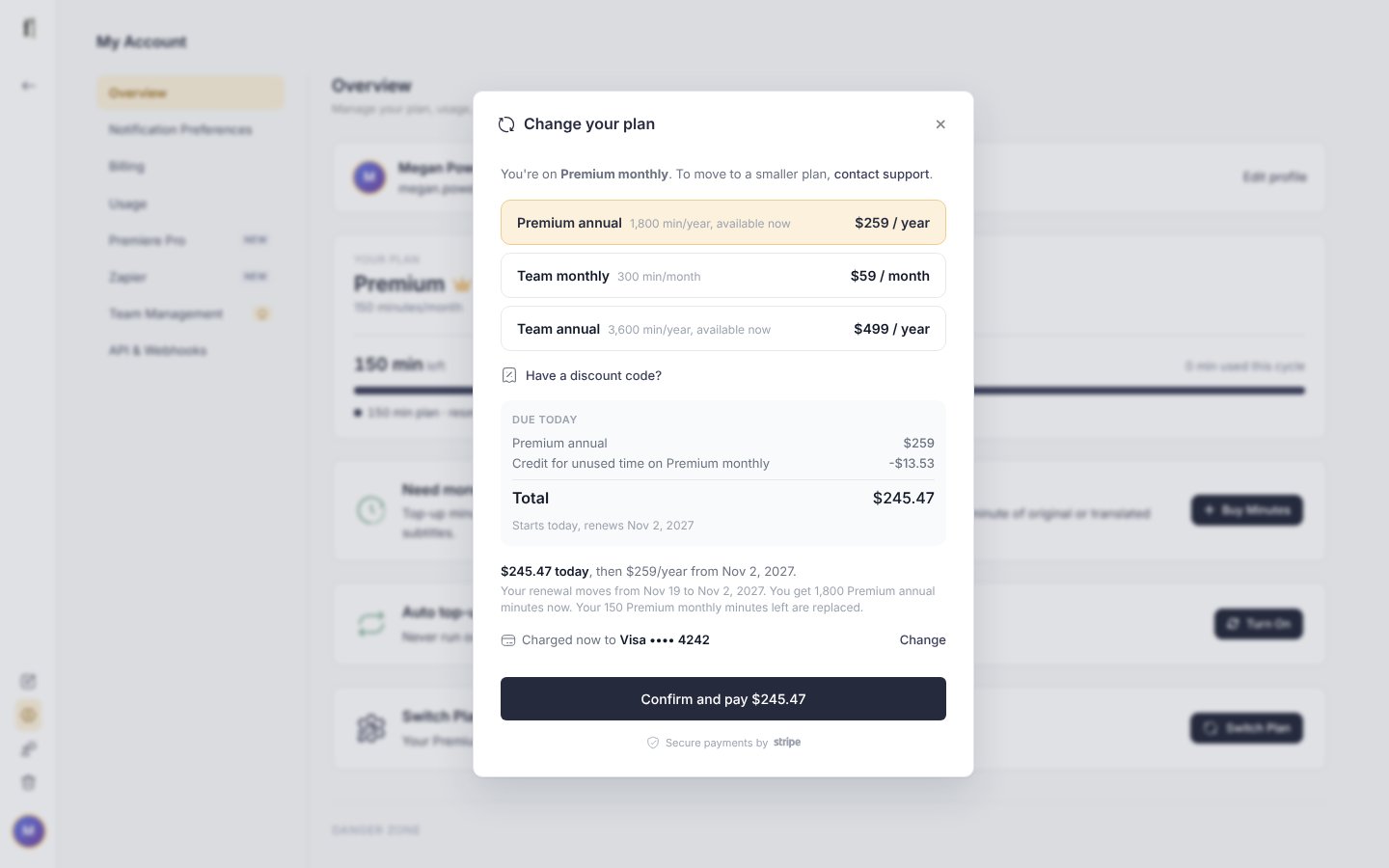
The Change your plan window lists the plans you can move to, with the minutes each one includes. When you move up to Team you can also set the Team size: the Team plan includes 2 seats, and you can add more seats here at the same time. If you have a discount code, click Have a discount code?, type it and click Apply.
Check what you pay and confirm
Under Due today, the window shows what you pay now, worked out for your account, the card or Link account it is charged to, the date your new plan renews, and the minutes you will have. Click Confirm and pay. Your new plan and its minutes are ready within a minute, and we send you an email about your new plan.
What you pay
Your new plan starts on the day you switch, with a new billing period. You pay the new plan's full price for a month or a year, minus a credit for the time you haven't used on your current plan. For example, if you switch from Premium monthly halfway through the month, about half of that month's price comes off the first payment for the new plan.
Your renewal date moves too: the new plan renews a month (monthly) or a year (annual) from the day you switch, and the window tells you the old and the new date before you confirm. Extra Team seats you already have move to the new billing term with you.
What happens to your minutes
- Plan minutes are replaced by the new plan's allowance: 150 a month on Premium monthly, 300 a month on Team monthly, and the whole year at once on annual plans (1,800 on Premium, 3,600 on Team). Plan minutes you haven't used yet don't carry over, so it is worth using them before you switch.
- Top-up minutes stay, exactly as they were. They never expire, whatever plan you are on.
Good to know
- Your videos, subtitles, workspaces and collaborators stay exactly where they are. Switching plan is not a cancellation.
- If you have cancelled and your plan hasn't ended yet, click Reactivate Plan on the Overview page first; the Switch Plans card then comes back.
- Switching to a plan with more features, such as Team's subtitle approvals, makes them available straight away.
- Promotion codes work for switches as well as for new subscriptions. If a code doesn't apply to the plan you picked, the window says so.
- Invoices for switches appear with your other invoices under Billing in My Account.
Questions about a switch? Write to us at [email protected].
The Fluen support team