

A share link lets someone watch the video with its subtitles in their browser, without a Fluen account, so a client or a colleague can check the work before you export. You choose whether they can only read the subtitles or also comment on them. Links expire after 72 hours and are available on every plan, including Free.
Open the track and click Share
Open the track in the editor. In the top right, next to Export, click Share. The button becomes active once the track has finished processing, and it is not available for media whose video has expired.

Choose what people with the link can do
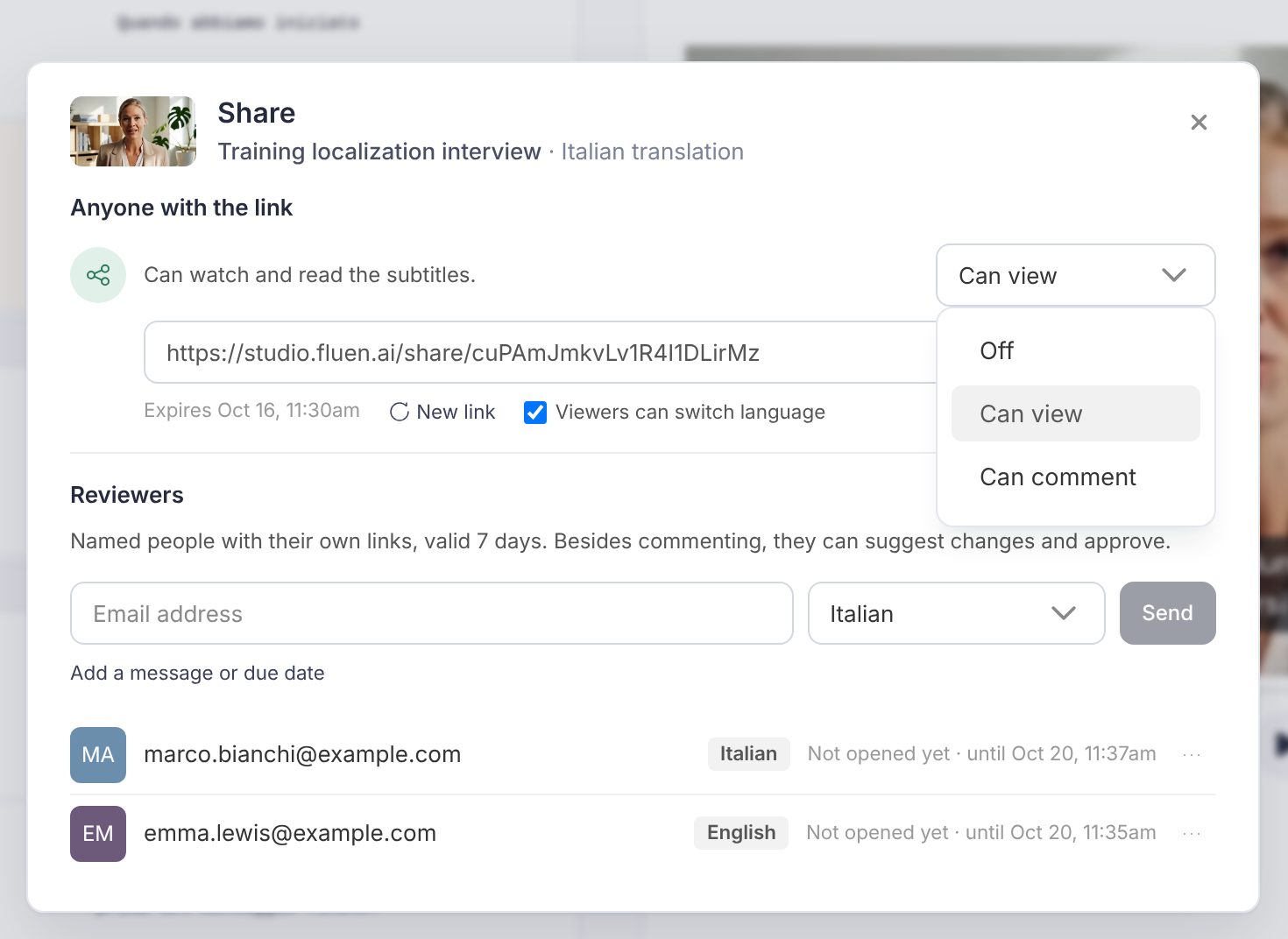
The Share dialog opens on Anyone with the link. One menu controls the whole link:
- Off: the link does not work. This is where every track starts.
- Can view: anyone with the link can watch the video and read the subtitles.
- Can comment: they can also leave notes on individual subtitles, under a name they type themselves. No account, no sign-up.
Pick Can view or Can comment and the link appears below. Click Copy link. The expiry date is shown next to it, along with New link. If the media has more than one language, Viewers can switch language lets reviewers change language on the shared page.
Send the link
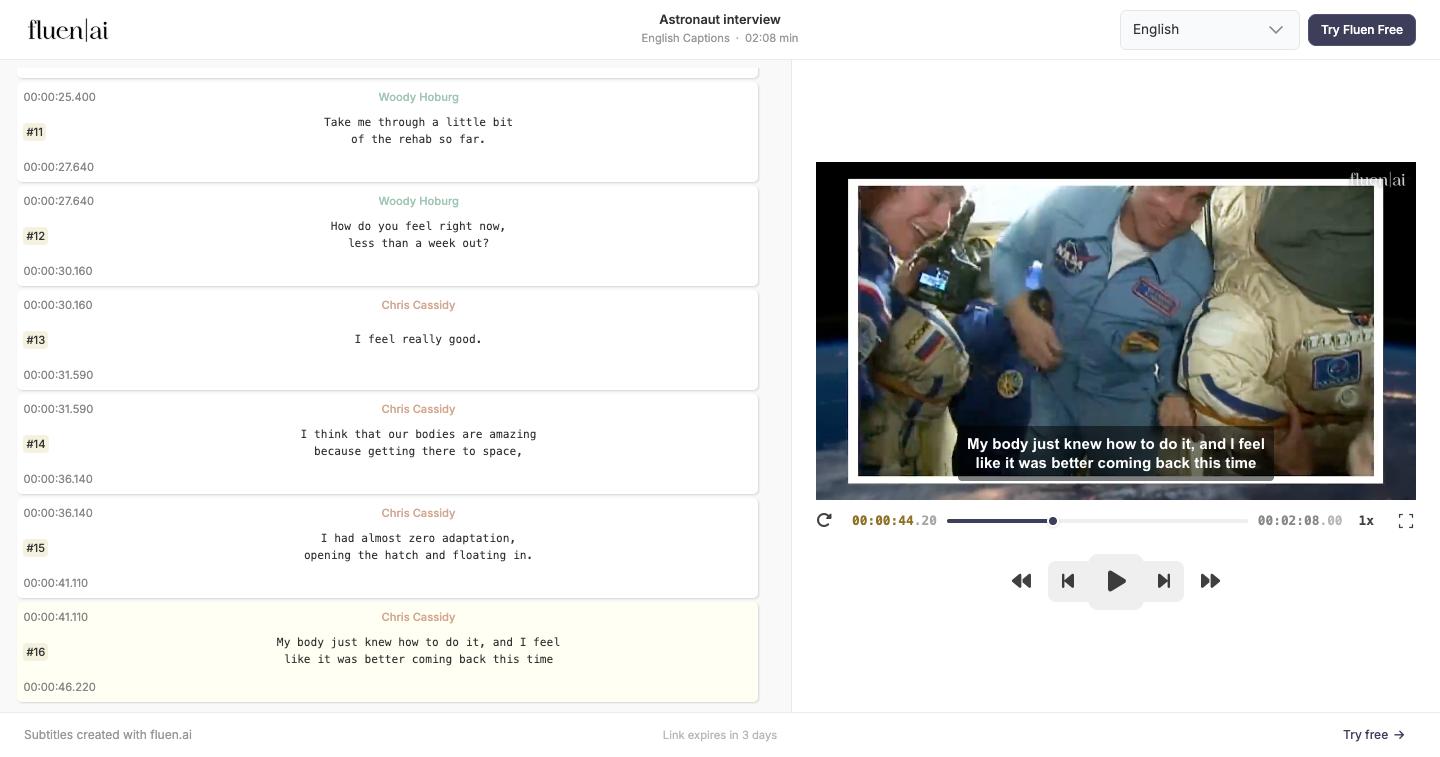
Paste it into an email or a chat. Anyone who has it can open it, so send it only to the people who should see the video. The reviewer gets a page with the video player, the full list of subtitles alongside it, and a language menu if you allowed it. A note in the footer tells them how long the link is still valid.
Read what they left you
On a Can comment link, a reviewer clicks a subtitle and writes a note. It lands in the Comments panel of your editor, pinned to that subtitle, with the reviewer's name on it. You reply from the same panel, and mark the conversation Resolved once you have made the change.
You are not emailed once per note. Fluen waits until the commenting has stopped and then sends you one email with the whole batch, so a reviewer who leaves twenty notes produces one message.
Full details in Comments, reviews and approvals.
Turn it off, renew it, or replace it
- Revoke: set the menu back to Off. The link stops working immediately.
- Re-enable: set it to Can view or Can comment again and the same link is restored, so an email you already sent keeps working.
- Replace: New link creates a new address and kills the old one. Use it if a link went to the wrong person.
- Expired: after 72 hours the page shows "Link Expired". Open the dialog and enable the link again to get a fresh one.
Comments already left on a track stay in the editor when you revoke or replace a link. Turning the link back down to Can view stops new comments; it does not delete the ones you have.
When to ask for a formal approval instead
A share link is the quick option: one address, anyone who has it, no sign-off at the end. On the Team plan you can instead send a track for review: each reviewer is invited by email, gets their own private link, and ends with an explicit Approve or Request changes. Each language is approved separately, so you always know which ones are signed off. Reviewers on a review link can also propose replacement wording that you accept with one click.
See Comments, reviews and approvals for the whole workflow.
Working with colleagues instead
If the same people need to review, edit or export regularly, invite them to the workspace rather than sending links. On Team plans, Workspace Settings has a Members page: Add Member, enter the email, and set what they may do with the View, Upload, Edit and Delete permissions. Details in the FAQ: How do I invite a new user to a workspace?