

Reprocessing regenerates a subtitle track without uploading the file again. Most of the time it means changing the rules for line length and line count, and having Fluen re-split the text in seconds. There is also a one-time option to rerun a caption track with a different AI engine. Neither costs credits.
Re-split a track with new line rules
Open the track in the editor
Re-splitting is available for video files, on caption tracks that are in review (In Review) and on translation tracks that are complete or in review. Translations created before 22 April 2026 predate the feature and cannot be re-split; re-translate the file to get a track that can.
Click Rules and set the new values
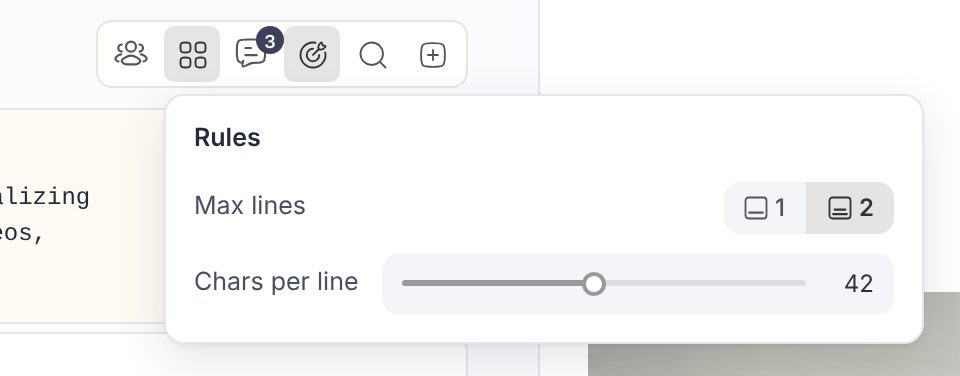
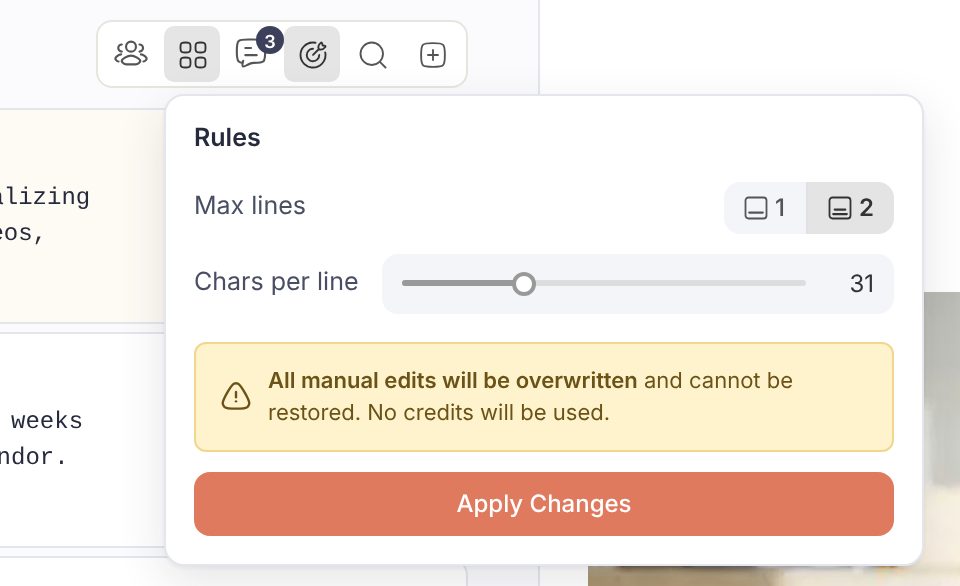
In the toolbar above the subtitle list, click Rules (formerly called Layout). Set Max lines to 1 or 2 and move the Chars per line slider. Nothing happens yet: the popover only shows what will change.
Apply Changes
A warning reminds you that all manual edits will be overwritten and that no credits will be used. Click Apply Changes. The video pauses, the popover shows "Reprocessing..." and a few seconds later the track reloads with the new layout. Timings stay in sync with the audio; only the way the words are split changes. A caption track goes back to review status when done.
Rerun captions with a different AI engine
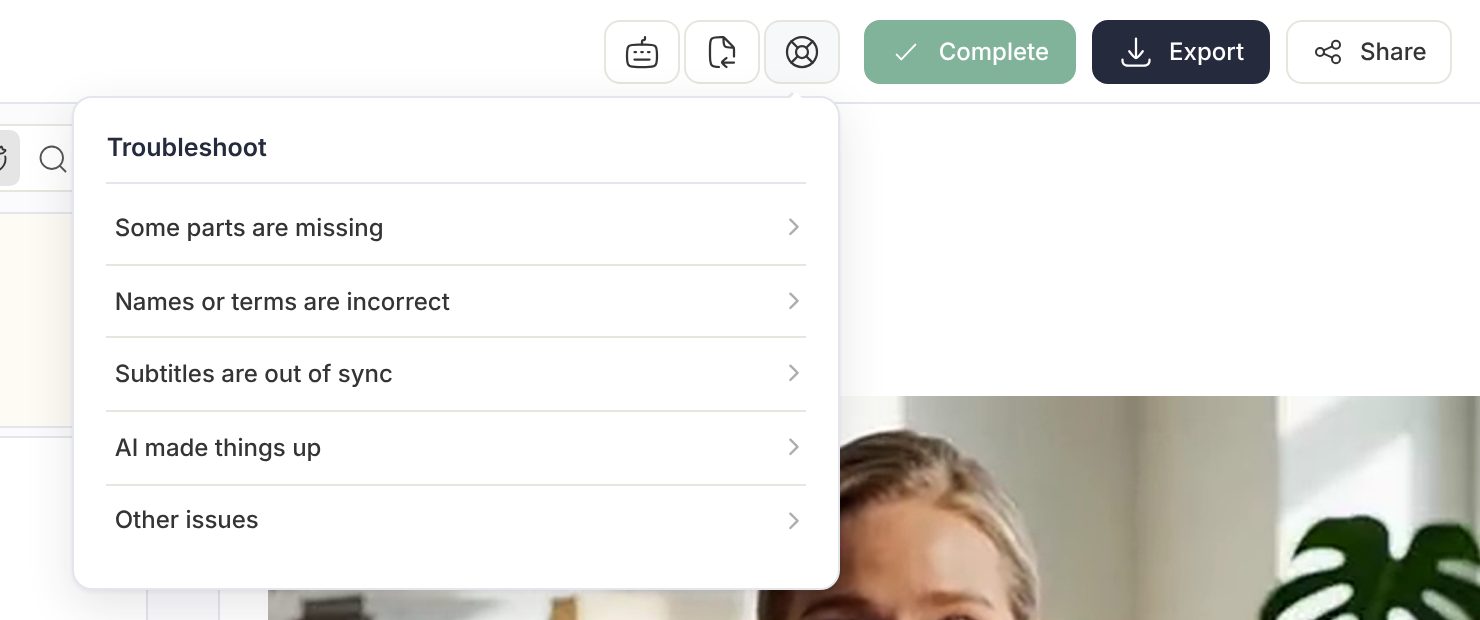
If the transcription itself is the problem (words missing, names wrong, subtitles drifting out of sync, invented text), use the Troubleshoot button in the top bar of the editor. It is there on caption tracks that are in review. Pick the issue that matches, then Try a different AI engine. The Reprocess Subtitles Track dialog explains the rules: the track is regenerated with another engine, no credits are used, all edits are lost, and it can be done one time only per track. Click Reprocess to confirm. Translations have no Troubleshoot menu: if a translation needs to be redone, contact support with the file name and the language.
Reprocess after an error
If a file finished with a red error label in your library ("We didn't catch that" or a paused track), the media card shows a red Reprocess chip. Click it, confirm the Source Language and run it again. Nothing was charged for the failed attempt.
When reprocessing is not the answer
- You only want to fix a few words: edit them in the list, or click the search icon in the toolbar (Find & Replace, or press Ctrl+F, Cmd+F on a Mac) to replace a term everywhere.
- You want the same fix on future files: add the term to the glossary.
- You want different line settings for every upload: change them in Workspace Settings.
- You have a corrected SRT from outside Fluen: import it over the caption track, then translate from it. See Import corrected SRT files, one or many.